New in Traddie: Customer Portals and Work Numbers
Your customers get a portal of their own, your business gets a number that answers the calls you miss, and every job now shows what it actually made.
By Kian McKiernan, founder of Traddie. Sources linked throughout; see also our editorial policy.
Five things that shipped this fortnight
The Traddie app landed on the App Store and Google Play a fortnight ago. We have not stopped since, and this batch turned out to have a theme running through it, even though we did not set out to give it one. Every feature here takes a job that used to live in your head, or in your evening, and hands it to the software instead.
Below is what each one does, why it matters on a normal working week, and exactly where to switch it on.
Every customer now gets a portal with your name on it
Send a quote, an invoice or a certificate and your customer now gets a link to a private hub carrying your business name and logo. Everything you have ever sent them lives in there: quotes waiting on approval, invoices they can pay, visits coming up, job photos, and every certificate you have issued for the property.
There is no password to set. They type in the email address you already hold for them, Traddie sends a sign in link, and they are through. That sounds like a small detail right up until you remember how many phone calls start with somebody who cannot find an email you sent in March.
The real value is not the portal itself. It is the calls you stop taking. The letting agent who rings every January asking for a copy of last year's gas certificate can now go and fetch it at half ten at night, which is generally when they remember they need it.
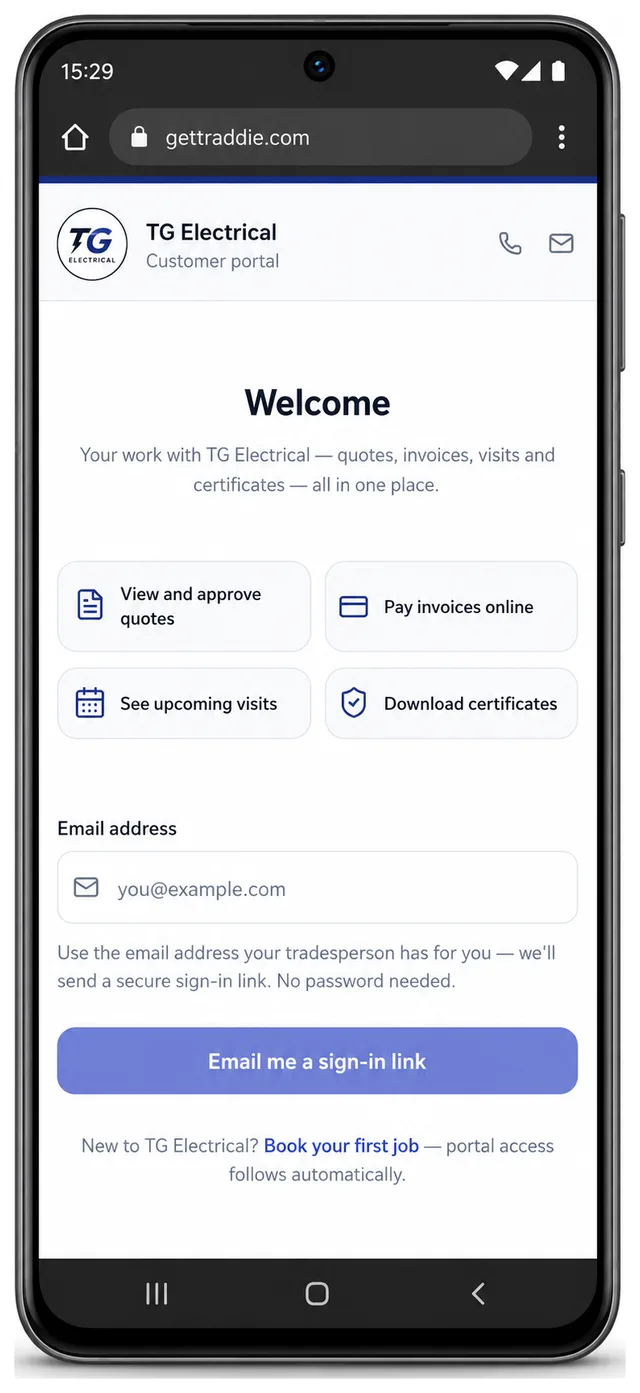
- View and approve quotes, with the approval recorded against the job.
- Pay invoices online, matched back to the invoice automatically.
- See upcoming visits, including the arrival window you have given.
- Download any certificate you have issued for that property.
How to turn it on
- On the web, go to Settings and open Customer Portal.
- Switch it on, then check your business name and logo read the way you want them to.
- That is the whole setup. Every quote, invoice and certificate you send from now on carries the portal link.
A work number that answers the calls you miss
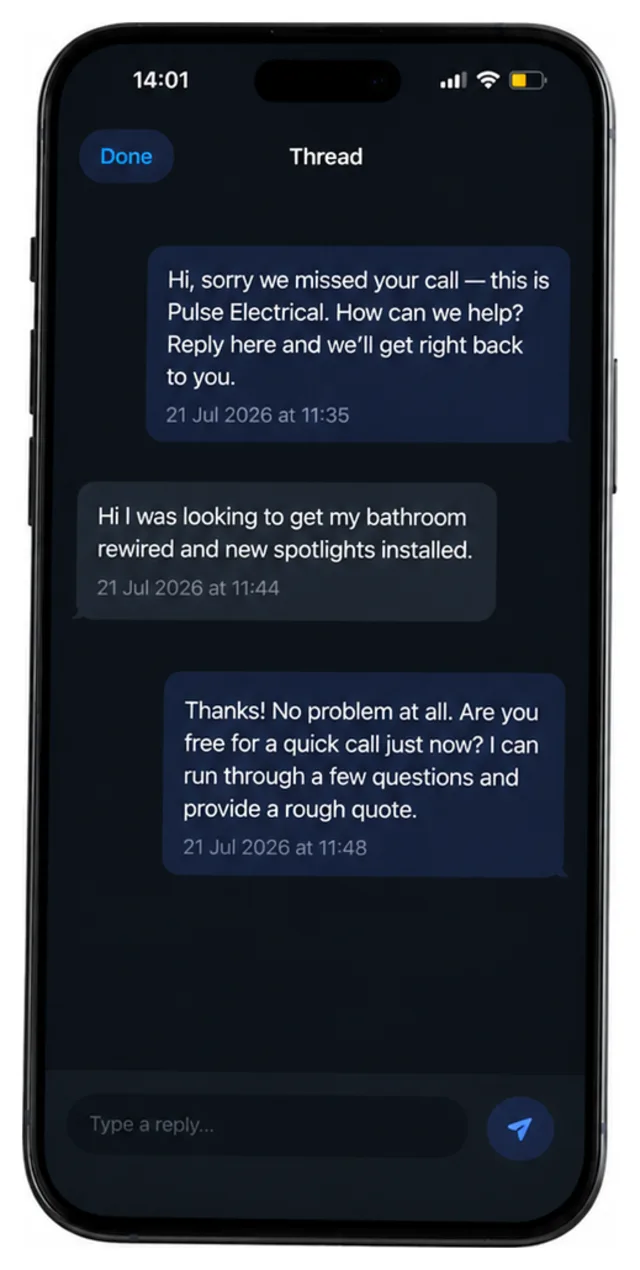
You can now give the business its own Traddie number. Put it on the van, the website and the Checkatrade profile, and calls to it ring your own mobile exactly as they do now. Your personal number stays personal, and the day you take somebody on, or change phones, the number painted on the van does not have to change with it.
The part that earns its keep is what happens when you cannot pick up. If you are under a floor or halfway up a ladder, Traddie texts the caller back within seconds, tells them who you are and asks what they need. Most people will type out the job while it is still on their mind, so by the time you are back in the van you have a conversation waiting instead of a missed call from a number you do not recognise.
That same number sends your paperwork. Quotes, invoices and certificates can go out by text as well as by email, and the customer opens the link and approves or pays on the spot. If you deal with landlords and letting agents, you will already know that a text gets read on a Tuesday afternoon in a way an email simply does not.
How to turn it on
- On the web, go to Settings and open Missed-call Text-back.
- Claim your Traddie number and set the mobile you want calls forwarded to.
- Edit the automatic reply so it sounds like you, then ring the number from another phone to test it.
- Turn on sending by text in the same screen if you want quotes and invoices to go out that way too.
Your day on a map, now on the web as well as the app
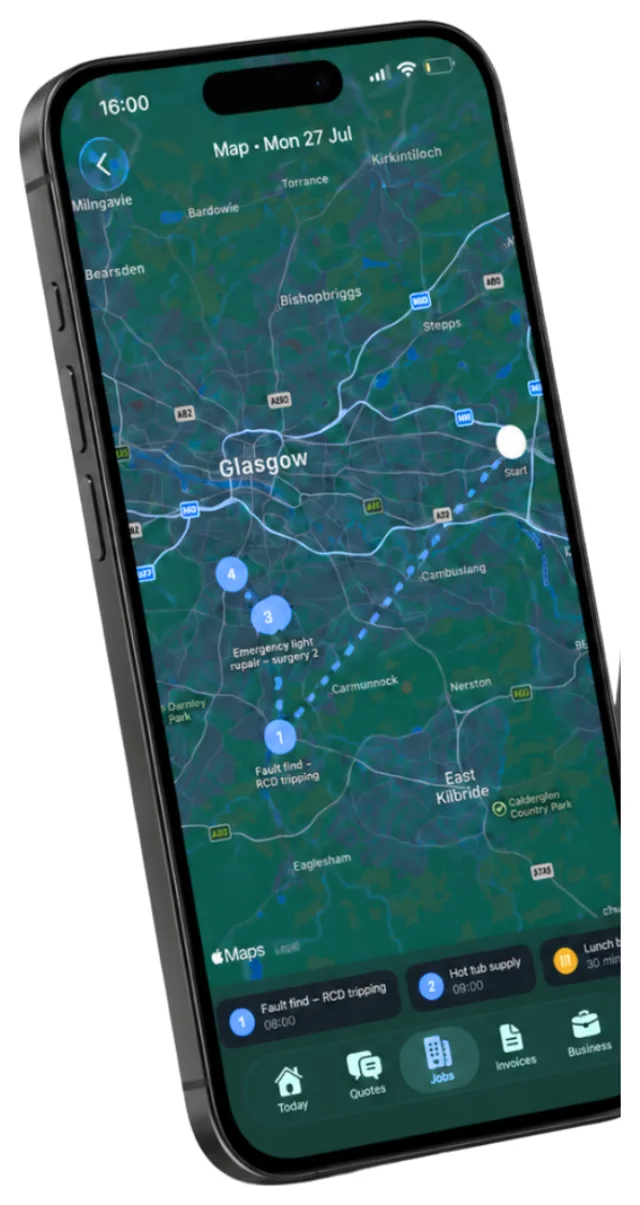
The calendar and map view that arrived with the app launch are now on the web too. Open Jobs, switch from the list to the calendar, and you get the whole month, a week or a single day, with jobs you can move to a different slot when a customer changes their mind.
The map is the half that saves you fuel. It plots the day geographically with the route drawn between the stops, so you can see straight away that you have booked Bearsden at nine and East Kilbride at ten. Traddie will reorder the day for you, and directions open in whichever maps app you actually use.
If you run a team, the calendar is also where you assign the work. Everything syncs down to the phone on site, so nobody sets off for a job that moved yesterday afternoon.
How to turn it on
- Open Jobs and switch the view from list to calendar.
- Pick a day, then choose the map to see the route between your stops.
- Move a job to a different slot and whoever it is assigned to sees the change on their phone.
Say what the job is and let Traddie write the quote
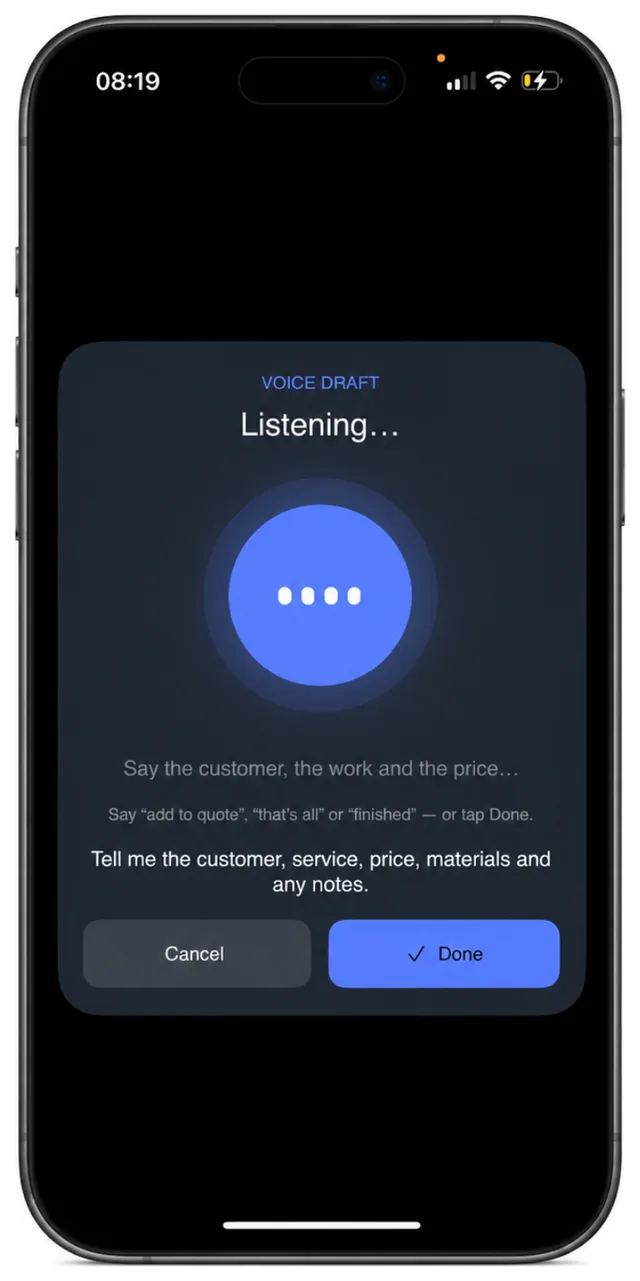
When you start a quote, a job or an invoice, you can now describe the work instead of filling in boxes. Write a few lines the way you would in a notebook, or press the microphone and say it out loud, and Traddie turns it into a proper draft with line items, descriptions and prices already in place.
It is built for the five minutes after you have walked round a job, when it is all still fresh and the laptop is nowhere near you. Say who the customer is, what the work involves, what you are charging and anything worth noting, and you get back something to tidy up rather than an empty form to fight with at nine in the evening.
Nothing sends itself. Every draft comes back to you to read and edit, and it only becomes a real quote when you decide it does.
How to turn it on
- Start a new quote, job or invoice.
- Open the drafting assistant, then either type your notes or press the microphone and talk.
- Read the draft, correct anything that is not right, and save or send it as you normally would.
See what a job actually made, labour included
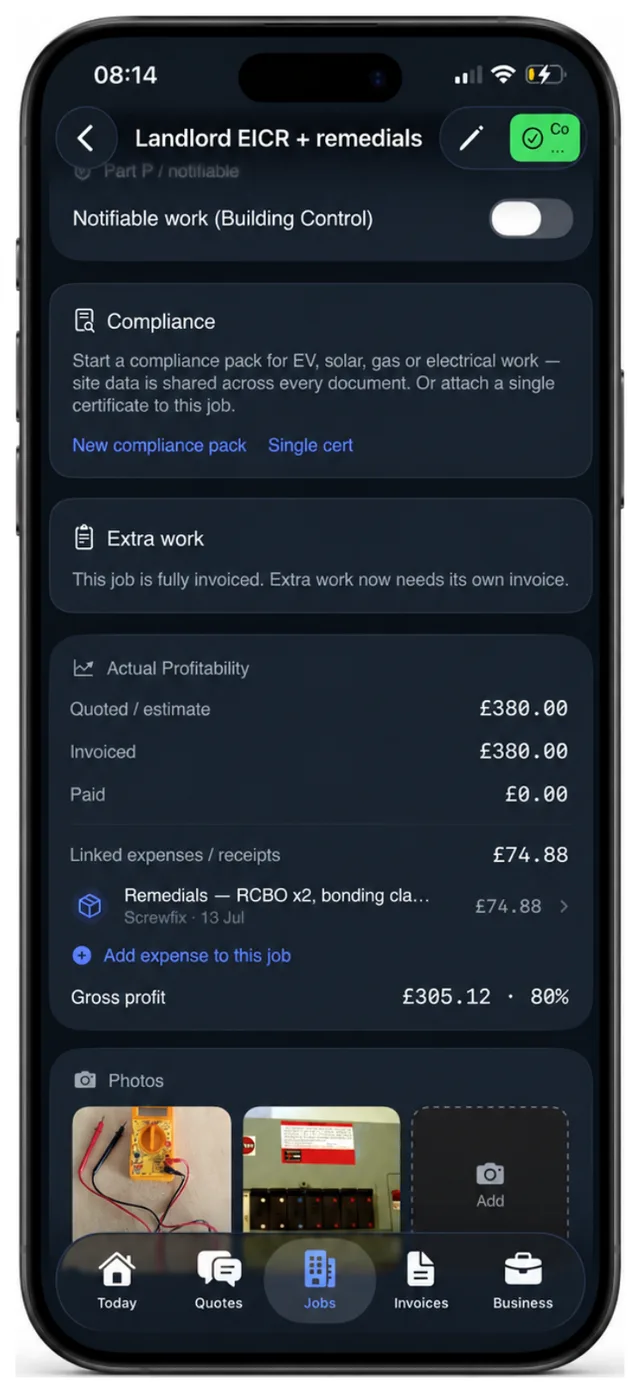
Job profitability now counts labour as well as materials. Put the hours against the job and Traddie lines up what you quoted, what you invoiced, what has been paid, the receipts you have linked and the time worked, then tells you what is left at the end of it.
This is the number most trades never get to see. You know what you quoted and you know what landed in the bank, but the gap between the two gets quietly eaten by a second trip for a part, an hour more than you allowed for, and a skip nobody costed. Looked at once a month it is a shrug. Looked at job by job it changes what you quote next time.
Receipts pull their weight here as well. Photograph one and Traddie matches it to the right job, so the cost lands where it belongs without you sorting a shoebox at the end of the month.
How to turn it on
- Open any job and scroll to Actual Profitability.
- Add the hours worked, and link any receipts or expenses to the job.
- Gross profit and margin update as you go, and feed through to your reporting.
What these five have in common
None of this is here because it is clever. Each one exists because of a specific evening: the one spent digging out an old certificate for somebody who lost theirs, the one where you spot three missed calls from a number you do not know, the one driving back across town because the day was booked in the wrong order, the one typing up a quote from memory two days after the visit, and the one at the end of the month working out where the money actually went.
On their own, none of them is dramatic. Put together, they are most of the admin in a small trade business.
What is coming next
Purchase orders are built and in testing, so material costs can be raised against a supplier and land on the right job without anyone re-keying them. A shared password vault is close behind, aimed at teams currently keeping supplier logins in a group chat. And there is more on the way for anyone running several vans, where the scheduling has to work across people rather than just across days.
If you are not on Traddie yet, it is free to try. Search Traddie on the App Store or Google Play, or start on the web and be set up in a couple of minutes.