What's New in Traddie: July 2026 Product Update
The Traddie app is live on the App Store and Google Play, with our biggest batch of features yet: digital certificates, Tap to Pay, lead catcher, auto-invoicing.
By Kian McKiernan, founder of Traddie. Sources linked throughout; see also our editorial policy.
The Traddie app is live on iOS and Android
The headline first: the Traddie app launched on the App Store and Google Play this month. Everything you use on the web, quotes, invoices, jobs, customers and certificates, now lives on your phone and syncs both ways, so a quote you start in the van is waiting for you on the laptop when you get home.
The launch also came with the busiest few weeks of shipping we have ever done. Here is everything new, feature by feature.
Paper certificates, digitised properly
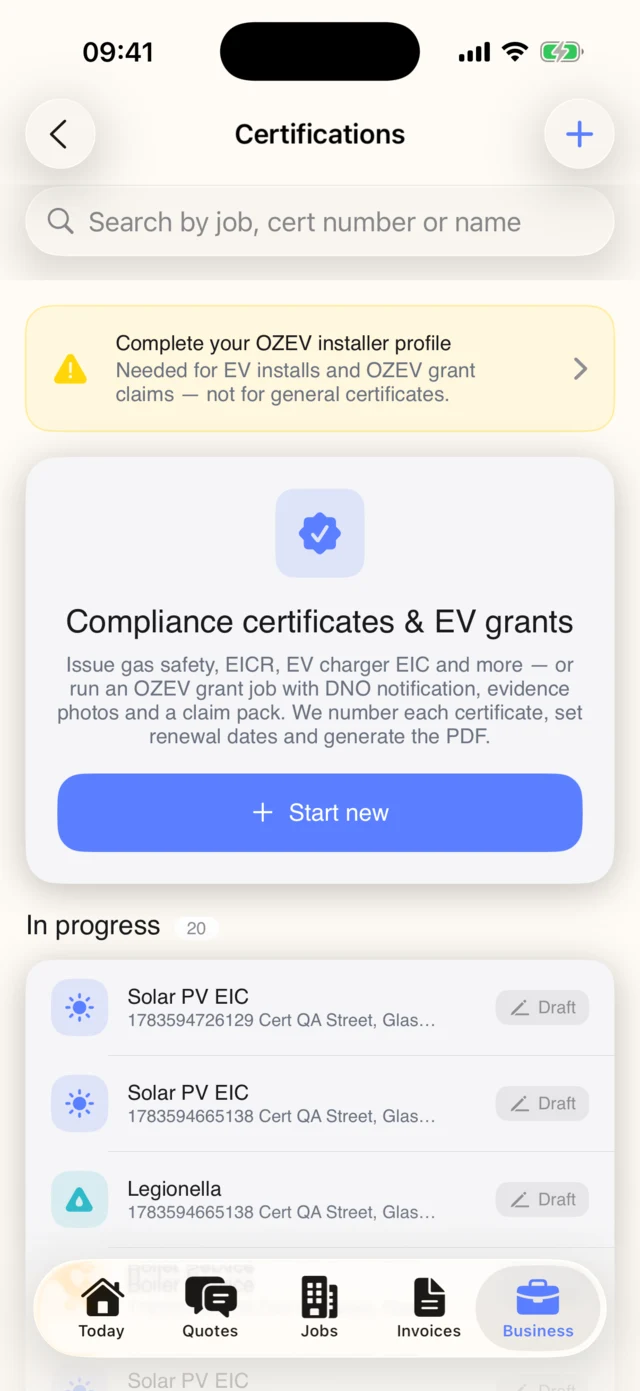
This is the big one. Traddie now issues 27 industry-standard certificate types from your phone, covering gas, electrical, fire and safety, plumbing and heating, and EV charger work.
Fill the certificate in on site, add readings and observations, collect signatures, and Traddie produces a professional, correctly laid out PDF you can send to the customer before you leave the drive. Electrical certificates follow the BS 7671 model forms, and gas work includes the Landlord Gas Safety Record every letting agent asks for.
Every certificate is numbered, stored against the job and the property, and given a renewal date. That last part matters more than it sounds: when next year rolls around, Traddie reminds you, and can nudge the customer too, which quietly turns one-off jobs into repeat work.
- Gas: Landlord Gas Safety Records (CP12), boiler service records, warning notices and more.
- Electrical: EIC, EICR and Minor Works certificates built to the BS 7671 model forms.
- Fire and safety: fire alarm, emergency lighting, and smoke and CO alarm certificates.
- Plumbing and heating: service, commissioning and inspection records.
- EV: charger installation certificates with the OZEV grant paperwork handled.
How to turn it on
- In the app, open the Business tab and choose Certifications (on the web, it's Certificates in the sidebar).
- Tap Start new, pick the certificate type and fill it in on site — readings, observations and signatures included.
- Generate the PDF and send it straight to the customer, or save it against the job. The renewal date is tracked automatically.
Tap to Pay: take card payments with just your phone
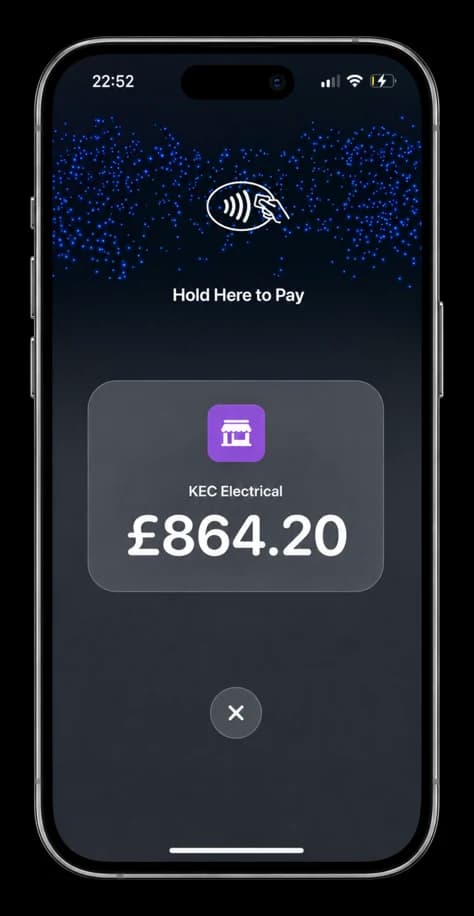
No card reader, no extra hardware. When the job is done, open the invoice, tap Take Payment, and the customer holds their card or phone against yours. The payment goes straight through and is matched against the invoice automatically, so there is nothing to reconcile later.
It is the difference between getting paid on the doorstep and joining the queue of people waiting on a bank transfer. For call-out work especially, it changes the game.
How to turn it on
- Open the invoice and tap Take payment here.
- Ask the customer to hold their card or phone against the top of your iPhone.
- That's it — the payment is matched to the invoice automatically. The first time, Traddie walks you through a quick one-off card payments setup.
Email Lead Catcher: never lose an enquiry again
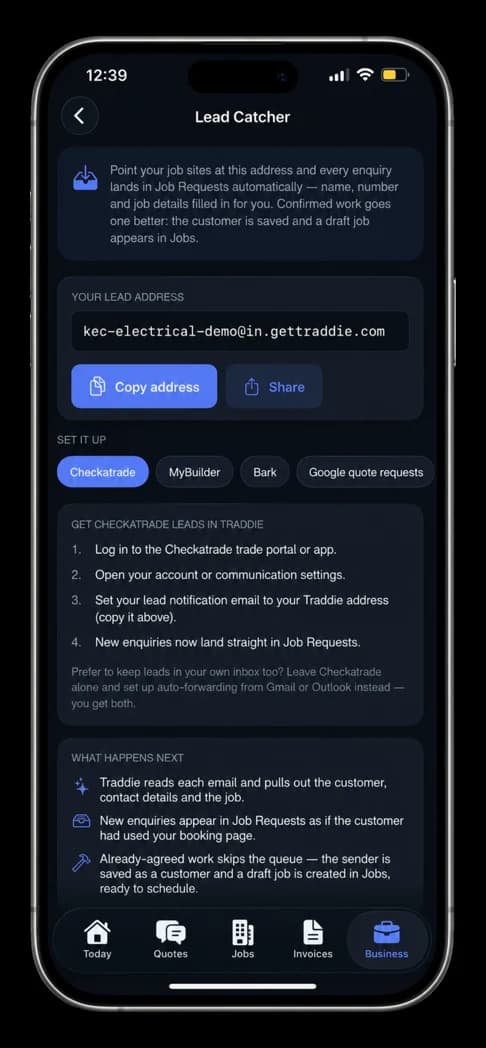
Traddie now gives your business its own lead address. Point your Checkatrade, MyBuilder, Bark or Google enquiry emails at it, and Lead Catcher reads each one, pulls out the customer name, number and job details, and files the enquiry in Job Requests automatically, ready for you to quote.
When the work is already agreed, it goes one better: the customer is saved to your book and a draft job is created, ready to schedule. No more copying details across by hand, and no more leads dying in an inbox you did not check until Sunday night.
How to turn it on
- Open the Business tab and choose Lead Catcher (on the web, Settings → Lead catcher).
- Copy your unique lead address.
- Paste it into the lead notification settings on Checkatrade, MyBuilder, Bark or Google — the built-in guide shows exactly where for each site.
- New enquiries now land in Job Requests automatically, with the details filled in.
Calendar and schedule: see your week the way you drive it
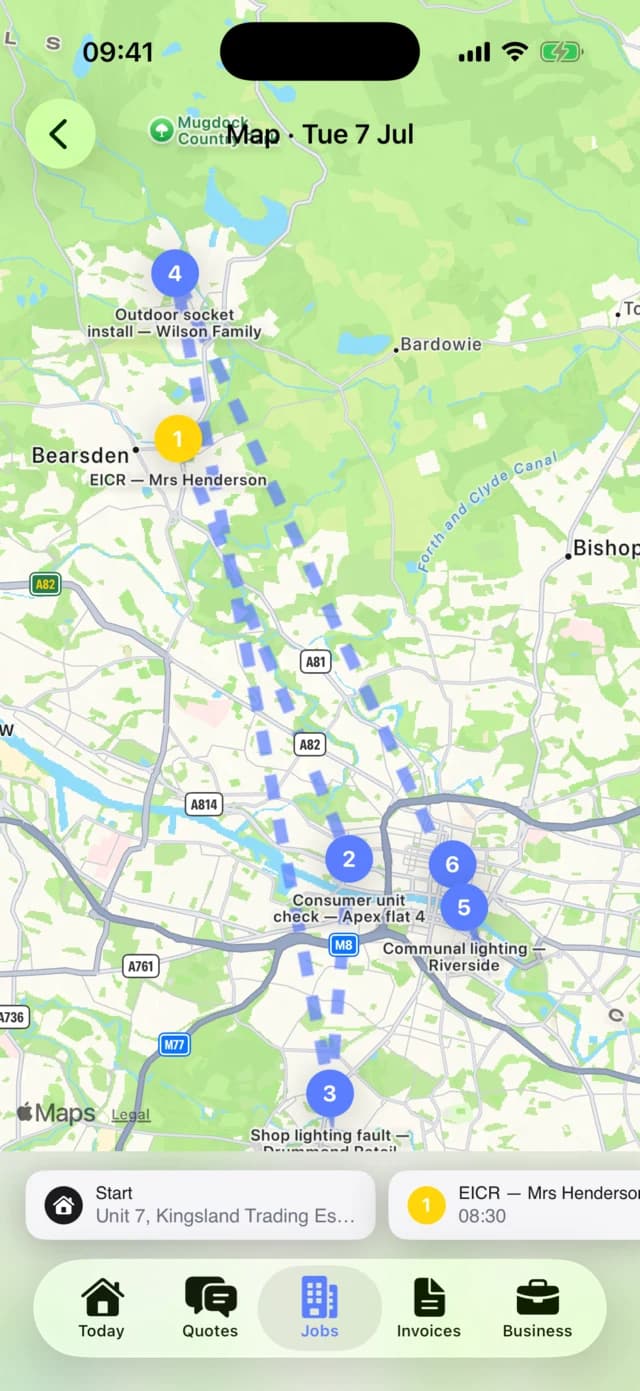
Job management got a proper calendar. See the whole month at a glance, drop jobs onto days, and switch to the new map view to see the week laid out geographically, with your route between jobs drawn on the map.
Traddie can also optimise the order of your day, so you spend less time crossing town and back and more time on the tools. Directions open in your preferred maps app with one tap.
How to turn it on
- Open the Jobs tab and switch to the calendar to see the whole month.
- Tap a day, then Map, to see your jobs and the route between them.
- Tap Optimise my day and Traddie re-orders the day to cut driving. Directions open in Apple Maps, Google Maps or Waze.
Auto-invoicing: finish the job, and the invoice sends itself
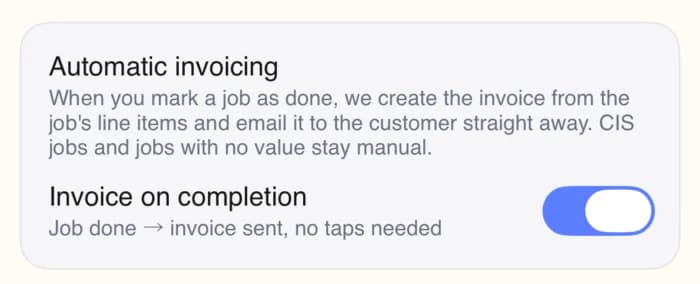
Turn on auto-invoicing and the moment a job is marked complete, Traddie raises the invoice from the job details and emails it to the customer with a payment link attached. The invoice that used to get written at 9pm, or forgotten entirely, now goes out while you are packing the van.
It is a single toggle in settings, and you can still review before sending if you prefer to keep a hand on the wheel.
How to turn it on
- In the app, open the Business tab → Customer Communications (on the web, Settings → Email sending).
- Under Automatic invoicing, switch on Invoice on completion.
- Mark a job as done and the invoice is created from the job's line items and emailed to the customer. CIS jobs and jobs with no value stay manual, so nothing goes out that shouldn't.
Photos on quotes and invoices
You can now attach photos to jobs, quotes and invoices. Snap the fuse board before you start, the finished bathroom after, and the photos are stored against the job and included with the paperwork.
For quotes, a photo of the problem makes the price make sense. For invoices, before-and-after shots are the quiet proof of work that stops disputes before they start.
How to turn it on
- When creating a quote or invoice, scroll to Photos (optional) and add from your camera or library.
- Photos are stored against the job and included with the paperwork you send.
A PDF attached to every quote and invoice
Every quote and invoice email now goes out with the PDF attached, alongside the online version. Customers who like to file things, forward them to a landlord, or print them for the folder in the kitchen drawer get exactly what they expect, and links you share now show a proper rich preview instead of a bare URL.
There is nothing to switch on here — it is automatic on every quote and invoice you send.
More accounting tools connected
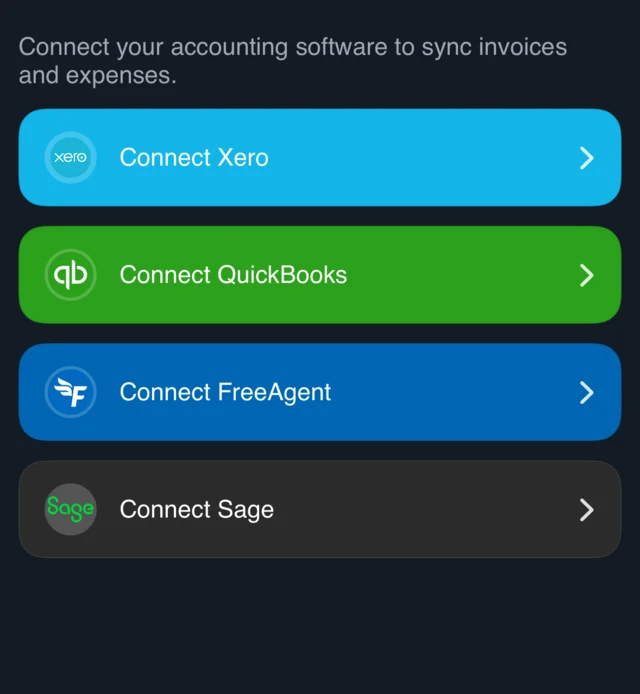
Sage and GoCardless have joined Xero, QuickBooks and FreeAgent on the integrations shelf. Connect whichever one your accountant uses and your invoices, payments and expenses flow through without re-keying, with VAT and CIS handling carried across rather than rebuilt by hand.
How to turn it on
- In the app, tap Connect accounting software in the Get set up checklist (on the web, Settings → Accounting).
- Tap Connect next to Xero, QuickBooks, FreeAgent or Sage, and sign in to approve.
- GoCardless connects under Payment processing in Settings. From then on, invoices, payments and expenses sync on their own.
Sign in with Google and Apple
Creating an account, or getting back into yours, is now one tap with your Google or Apple ID, on the web and in the app. One less password to forget on a Monday morning.
Apple widgets and Siri
iPhone users get home screen widgets showing today's jobs at a glance, plus Siri shortcuts, so you can ask for your next job or start a quote without taking your gloves off, or at least without finding the app icon first.
How to turn it on
- Press and hold your iPhone Home Screen, tap the + button, and search Traddie.
- Pick a widget size and add it — today's jobs, at a glance.
- For Siri, just ask — try "Hey Siri, what's my next job?"
Also shipped this month
A few more that deserve a mention, all live now:
- VAT threshold warnings: Traddie watches your rolling 12-month turnover and alerts you at 75%, 90% and 100% of the £90,000 VAT threshold, so registration never catches you out.
- Certificate renewal reminders: automatic nudges to you, and optionally your customers, before certificates lapse.
- Viewed status on quotes and invoices: see the moment a customer opens what you sent, so you know when to follow up.
- Pipeline boards: a kanban view of your quotes and jobs, so the state of the business is visible in one screen.
What is next
A few things are close. A branded customer portal, where your customers can see their quotes, invoices and certificates in one place under your name. Online booking, so customers can pick a slot that fits your real schedule instead of playing phone tag. And Google Business Profile insights, so you can see how people are finding you without logging into another dashboard.
If you are not on Traddie yet, the app is free to try: search Traddie on the App Store or Google Play, or start on the web in a couple of minutes. Everything above is included.